How to: delete node_modules folders in windows.
Let us agree, we all have been there once in a while, messing up our hair while removing these long path issues with node_modules.
For a while, I used to copy paste nested npm folders outside and try deleting again and again until I delete them all. I googled around and found a few other tricks that do the job fairly, but after being so used to the Node workflow, I happen to find the easiest way. So here is what you have to do.
Enter npm prune
All you got to do is remove the node_module listings from your package json and then run `npm prune`
Let's say your package.json looks like this:
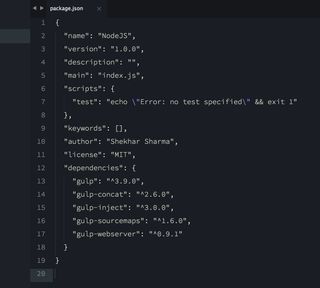
Remove everything or maybe just any particular npm which you wish to remove. Take an example, we wanted to remove all of it - then I would simply empty the dependencies like:
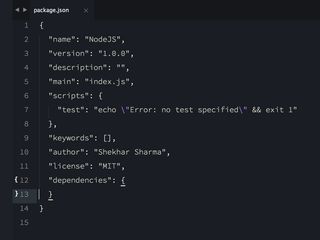
Then run "npm prune" and voila. NPM will unbuild all of the node_modules folder which it didn't find in the package.json but did locate in the drive.